
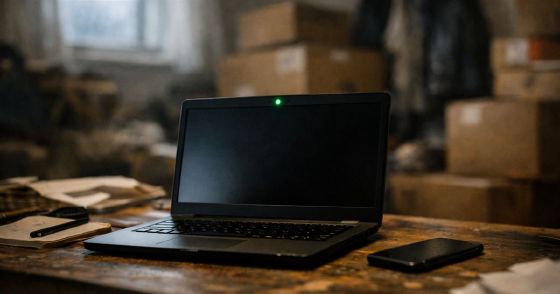
Small kids, a home office that doubles as a storage area, and neighbours who love to drill into shared walls at random hours. The perfect setting for an exam where unexpected sounds can get you disqualified.
Background
With the MCSA exams being retired at the end of January and COVID restrictions ramping up in my country causing the test centres to be closed, I had no other option but to go online.
I was worried about this as I heard stories from my colleagues that the slightest unexpected sound might disqualify you. So I looked up a guide on how it all goes down. This one was the most informative.
My family had to leave for the duration of the exam. Not nice to kick them out in the winter, but they took one for the team. I was also hoping no one would ring a bell, start to drill the shared walls, or randomly scream below my window (which are all frequent events).
With that in mind, I got to it. First, you download and run the system test program. This is the same program that will be used on the day of the real exam. You will get an Access code for the test and later a different one for the exam.
It will check your microphone, internet, and webcam feed. Next, you will need to close all applications and processes you possibly can. Anecdotally, I once forgot to close an app and when I got to the "Launch simulation" it told me that one app hasn't been closed and this incident has been logged.
Prerequisites
- Computer (duh) preferably desktop.
- They specifically warn about VPNs, proxies, and company computers with firewall rules, etc.
- One valid government-issued ID (in my case driver's license)
- Mobile phone for verification (selfie, photo of ID, photos of the room, point of contact in case of e.g. internet outage).
- The mobile phone was my biggest point of confusion. You cannot turn it off, because the proctor might contact you, but you also cannot have any random sounds? How am I supposed to control who calls me? I had the phone outside of my reach and screen down as per guidelines, but it was buzzing constantly with messages from company chat.
- Webcam and microphone
- A closed room where no one will disturb you
- A clean work area: no papers, pens, jewellery, other screens, etc.
- Nothing that could be used to cheat or copy the questions. I have two monitors on my stand, so I had to turn the secondary away from me and unplug it. Also, there was a mess in the rest of the room as my "office" is sort of a storage area.
On the day of the exam
You can start the process between 30 minutes before and 15 minutes after the registered time. Go to the bathroom in advance, you cannot during the exam.
You will go to your certification dashboard and it will show in the Appointments section. You will get the real access code this time and start the verification process. You will be prompted to use a mobile phone and go to the website and take a selfie, a photo of your Id against a dark background with no glare (both sides), and then 4 photos of your work area. Facing the desk, behind the desk, left and right.
I recommend starting as early as possible because I had some technical difficulties. First, my primary mobile browser is Firefox, and I couldn't get past the selfie stage. It just failed silently. Only after switching to Chrome did the selfie camera show an overlay with an oval area where my face should be.
The second problem was with taking photos of my room. I took the first one and on the second it said: internal memory error. I tried three times with no luck, so I restarted the phone and changed the camera app from custom to default. That did the trick.
After completing verification, accepting the terms and conditions, and all that jazz, it went straight to the exam. I could see my camera feed at the top of the screen. Your face must not move outside the camera scope, otherwise you will be disqualified. Also, there is a Whiteboard option (similar to the piece of paper you would get at the test centre) and a chat with the proctor.
I was expecting the greeter to give me some basic info and also slowly move my web camera from left to right to show my work area (like the official video said), but nothing happened.
Final thoughts
The test itself was not that much different from the test centre. But the feeling of being watched the whole time made me super itchy, and I had the urge to scratch all the time. I was also mindful of not putting my hands over my mouth when thinking or mumbling to myself, as these might be mistaken for a cheating attempt.
Overall I was more worried about failing for things outside my control (like the mobile phone or noise) than my lack of knowledge. Given a choice, I would pick the test centre next time, even though that means a 2-hour commute one-way for me.
Thank you for reading