

The Kusto Detective Agency doesn't let you jump straight into cases. First: onboarding. Let's walk through the interface and solve the opening challenge.
The UI layout
This is what your layout might look like:
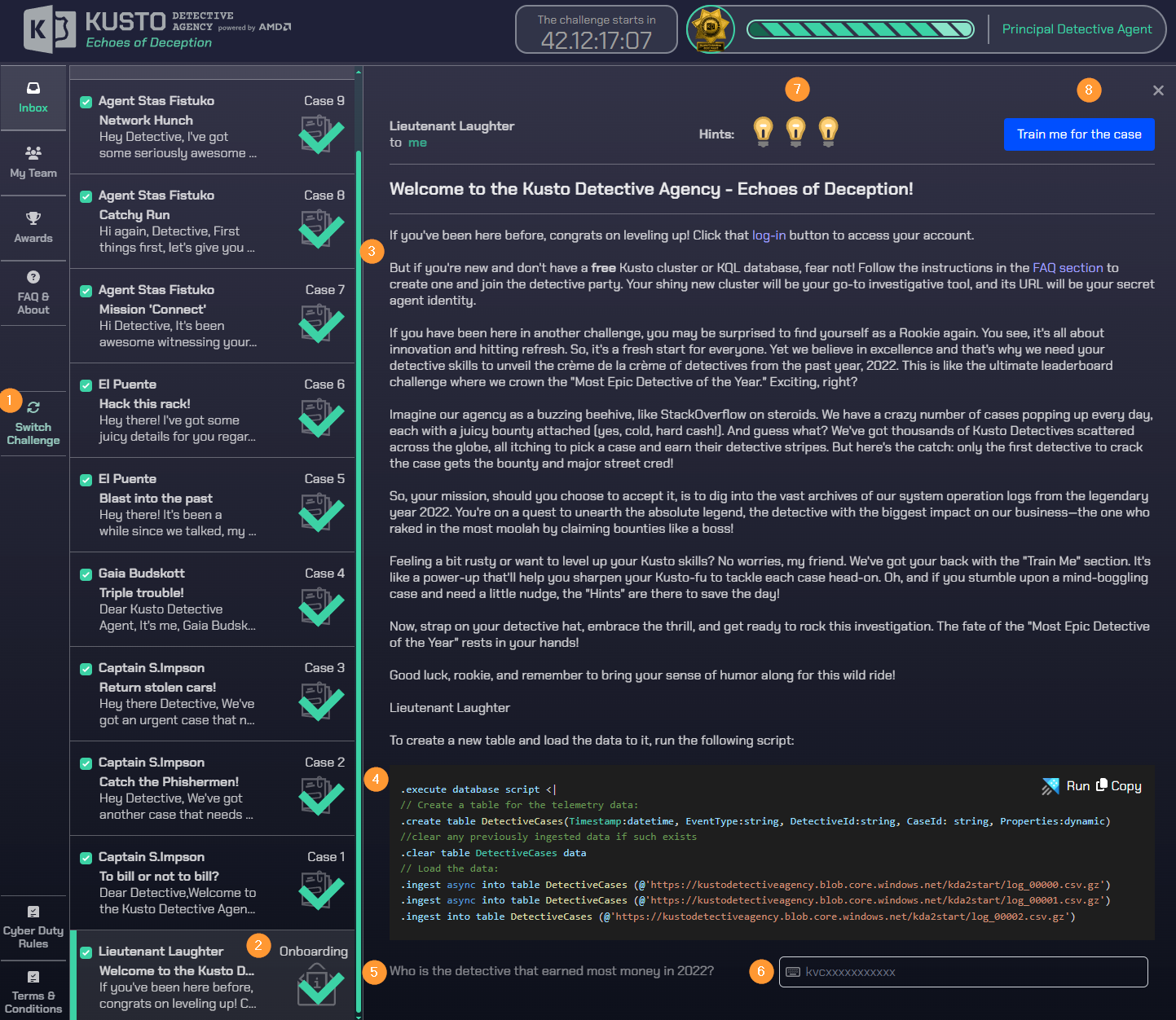
- LHS menu where you can switch challenges.
- All currently available cases. You'll start with one and unlock new ones. Ordered like a mailbox, with the oldest at the bottom.
- Flavor text introducing the challenge.
- Ingestion script to load the data into your personal cluster.
- The main question that needs to be answered.
- Answer field - usually includes hints about the expected answer format.
- Three hints - IIRC, not all are available from the start; you might need to wait before requesting a hint.
- Training section - introduces concepts and simpler challenges that help you with the main one.
Solving the case
We need to answer this question:
Who is the detective that earned the most money in 2022?
We can see that only one table (DetectiveCases) was added in the ingestion section. Let's take a look at its data.
DetectiveCases
| take 50
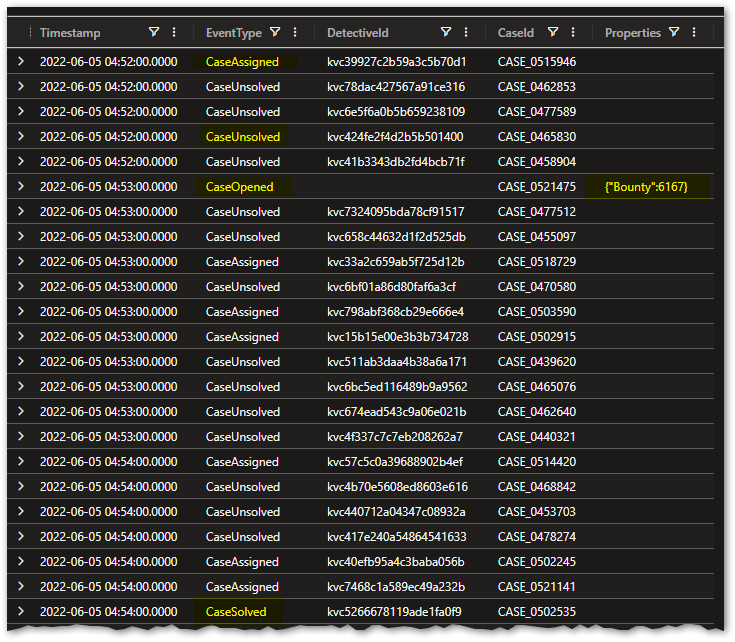
It looks like Bounty is a dynamic property, only populated when EventType is CaseOpened.
We can test that hypothesis:
DetectiveCases
| where isnotempty(Properties)
| take 50
| extend toreal(Properties.Bounty)
Let's also review all the rows for a single case - I'll use CASE_0521475 from the first result set.
DetectiveCases
| where CaseId == "CASE_0521475"
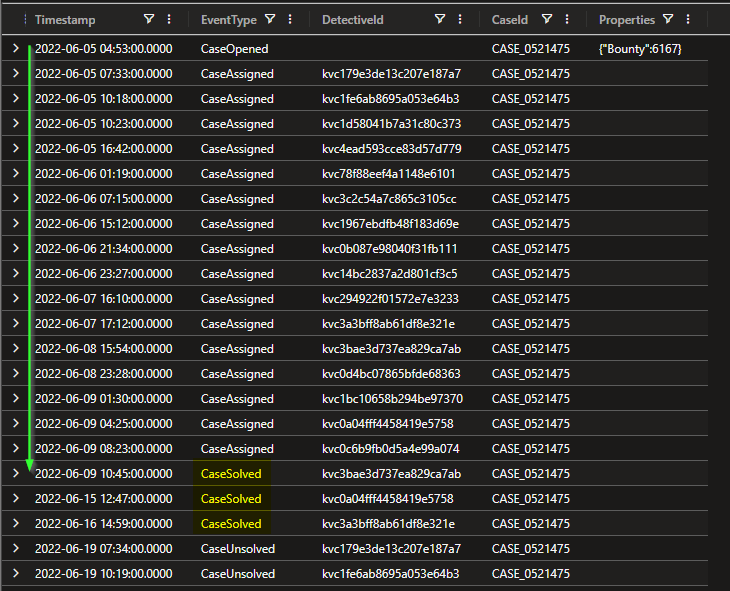
Only the CaseOpened event has a bounty. I'm also assuming that only the first detective to solve a case receives it.
The question specifies the year 2022, and I've verified that all values fall within that range.
DetectiveCases
| summarize min(Timestamp), max(Timestamp)
Final query
The approach:
- Find all solved cases in 2022 and get the first detective who solved each case.
- Cases may have started in previous years, but only the solve date matters.
- Self-join the data on
CaseIdand parse the bounty from thePropertiescolumn. - Summarize and sort bounties by detective.
DetectiveCases
| where Timestamp >= datetime(2022,1,1) and Timestamp < datetime(2023,1,1)
| where EventType == "CaseSolved"
| summarize arg_min(Timestamp, DetectiveId) by CaseId
| project-rename FirstSolver = DetectiveId
| lookup kind=inner
(
    DetectiveCases
    | where EventType == 'CaseOpened'
    | extend Bounty = toreal(Properties.Bounty)
    | where Bounty > 0
    | project CaseId, Bounty
) on CaseId
| summarize sum(Bounty) by FirstSolver
| top 3 by sum_Bounty desc
With the onboarding case solved, let's move on to the first real case.
Thank you for reading